'/%3e%3cpath%20d='M37.8504%2018.9728C38.6408%2019.754%2039.5913%2020.1446%2040.7021%2020.1446C41.8128%2020.1446%2042.7527%2019.754%2043.5217%2018.9728C44.312%2018.1915%2044.7072%2017.1041%2044.7072%2015.7105C44.7072%2014.3169%2044.312%2013.2294%2043.5217%2012.4482C42.7527%2011.6669%2041.8128%2011.2763%2040.7021%2011.2763C39.5913%2011.2763%2038.6408%2011.6669%2037.8504%2012.4482C37.0814%2013.2294%2036.697%2014.3169%2036.697%2015.7105C36.697%2017.1041%2037.0814%2018.1915%2037.8504%2018.9728ZM34.7745%209.78766C36.3552%208.22514%2038.331%207.44388%2040.7021%207.44388C43.0731%207.44388%2045.0383%208.22514%2046.5976%209.78766C48.1783%2011.3502%2048.9686%2013.3244%2048.9686%2015.7105C48.9686%2018.0965%2048.1783%2020.0707%2046.5976%2021.6333C45.0383%2023.1958%2043.0731%2023.977%2040.7021%2023.977C38.331%2023.977%2036.3552%2023.1958%2034.7745%2021.6333C33.2152%2020.0707%2032.4355%2018.0965%2032.4355%2015.7105C32.4355%2013.3244%2033.2152%2011.3502%2034.7745%209.78766Z'%20fill='var(--fill-0,%20white)'/%3e%3cpath%20d='M5.4149%2018.9728C6.20524%2019.754%207.15579%2020.1446%208.26654%2020.1446C9.37729%2020.1446%2010.3172%2019.754%2011.0861%2018.9728C11.8765%2018.1915%2012.2716%2017.1041%2012.2716%2015.7105C12.2716%2014.3169%2011.8765%2013.2294%2011.0861%2012.4482C10.3172%2011.6669%209.37729%2011.2763%208.26654%2011.2763C7.15579%2011.2763%206.20524%2011.6669%205.4149%2012.4482C4.64592%2013.2294%204.26143%2014.3169%204.26143%2015.7105C4.26143%2017.1041%204.64592%2018.1915%205.4149%2018.9728ZM2.33898%209.78766C3.91966%208.22514%205.89552%207.44388%208.26654%207.44388C10.6376%207.44388%2012.6027%208.22514%2014.1621%209.78766C15.7427%2011.3502%2016.5331%2013.3244%2016.5331%2015.7105C16.5331%2018.0965%2015.7427%2020.0707%2014.1621%2021.6333C12.6027%2023.1958%2010.6376%2023.977%208.26654%2023.977C5.89552%2023.977%203.91966%2023.1958%202.33898%2021.6333C0.779661%2020.0707%200%2018.0965%200%2015.7105C0%2013.3244%200.779661%2011.3502%202.33898%209.78766Z'%20fill='var(--fill-0,%20white)'/%3e%3cpath%20d='M22.1179%201.08627H17.9164L17.9243%2019.2885C17.9243%2021.8906%2020.0337%2024%2022.6357%2024H24.0775L24.0775%2020.153C23.971%2020.153%2023.8987%2020.1545%2023.837%2020.1558C23.7283%2020.1581%2023.6525%2020.1597%2023.481%2020.1511C22.7864%2020.1511%2022.1216%2019.6066%2022.1216%2018.7285H22.1179V1.08627Z'%20fill='var(--fill-0,%20white)'/%3e%3cpath%20d='M29.4871%205.79432V1.13843H25.3063V12.6451H25.3036V18.7449C25.3036%2021.6296%2027.6422%2023.9682%2030.527%2023.9682C32.5598%2023.9682%2033.6029%2022.8822%2033.6367%2022.8464C33.6238%2022.8338%2033.611%2022.8211%2033.5981%2022.8084C32.8486%2021.9193%2032.1417%2020.9468%2031.6168%2019.9211C30.2873%2020.6513%2029.4877%2019.8886%2029.4877%2018.8455V12.6451H29.4871V9.53171H32.6227V5.79432H29.4871Z'%20fill='var(--fill-0,%20white)'/%3e%3c/g%3e%3c/svg%3e)
Best demo automation software for B2B SaaS in 2026
Demo automation software helps teams show buyers how their product works without scheduling a call for every prospect. Buyers can try the product through interactive demos, see how it fits their needs, and help sales teams identify who is most interested. The right software reduces repetitive demo work and helps sales teams move deals forward faster.
Here are the 7 best demo automation tools for B2B SaaS teams in 2026, compared by features, demo formats, personalization, and pricing.
 By Kintan Brahmbhatt
Buyer guide
Best demo automation software
Pricing checked
Best demo automation software at a glance
Here’s a quick overview of the best demo automation software for B2B SaaS teams, highlighting each platform’s standout feature and what it does best.
Olto
AI-powered demos with product-trained AI Demo Agents and personalized live experiences.
Storylane
Interactive product walkthroughs with AI-assisted HTML editing.
Navattic
HTML-based demos with MCP support for AI-assisted demo creation and management.
Walnut
Personalized product demos and digital sales rooms for sales-led B2B buying journeys.
Supademo
Quick interactive demos, step-by-step guides, and self-serve product education.
Consensus
On-demand video demos that help buyers evaluate products and reveal purchase intent.
Reprise
Complex application clones and realistic demo environments for enterprise sales.
What is demo automation software?
Demo automation software helps B2B SaaS teams create, customize, and share product demos that prospects can explore on demand, without waiting for a sales engineer to walk them through every feature. These demos help buyers understand a product’s capabilities, see how its workflows operate, and evaluate whether it meets their needs.
Demo automation tools vs. platforms: A tool may focus on one demo format, while a platform can combine multiple formats, integrations, personalization, and analytics in one place.
Depending on the platform, demos can be:
Interactive demos
Step-by-step, click-through walkthroughs of key workflows.
Video demos
Recorded or narrated walkthroughs that can be personalized or shared at scale.
Sandboxes
Safe, hands-on environments where buyers can try the product without touching real data.
Product clones
Replicas of the product UI that stay stable and fully customizable.
Live demos
Presenter-led sessions, often supported by prepared environments and injected data.
AI agents
Conversational guides that answer questions and steer buyers to the features most relevant to them.
Best demo automation software compared
The table below compares the seven demo automation tools, covering their standout use cases, supported demo formats, starting prices, free plans, and G2 ratings.
| Tool | Best for | Primary demo type | Entry price | Free tier | G2 rating |
|---|---|---|---|---|---|
| Olto | Consolidated product experience, AI-powered demos across the GTM journey | Live demos with data injection, AI Demo Agents, sandboxes, interactive tours, how-to guides | Custom | No | 4.9/5 |
| Storylane | Marketing demos and interactive product walkthroughs | Screenshot, HTML, and video demos | $40/month/seat | Yes | 4.7/5 |
| Navattic | Interactive demos for demand generation and ABM | HTML-based interactive demos | $500/month/5 seats | Yes | 4.8/5 |
| Walnut | Personalized demos for sales teams | HTML-based interactive demos | $575/month/3 editor seats | No | 4.5/5 |
| Supademo | Quick demo creation, customer education, and onboarding | Interactive demos, videos, and guides | $38/month/creator | Yes | 4.7/5 |
| Consensus | Buyer-led demos and presales enablement | Personalized video demos, interactive tours, and AI-led demos | Custom pricing | No | 4.7/5 |
| Reprise | Enterprise sales engineering and complex product demos | Application clones and interactive demo environments | Custom pricing | First demo free | 4.4/5 |
Pricing and plan details were checked as of October 2026, where publicly available. Vendors may change prices, seat limits, billing terms, and feature access, so confirm the current package before purchasing.
How to choose demo automation software
The right demo automation software depends on how teams use demos, the level of personalization they need, and how well the platform fits their existing workflows. Evaluate these factors before choosing a tool.
Use case and team requirements
Identify whether the demos are for marketing, sales, presales, onboarding, or product education. Choose the demo automation software that supports the intended use cases.
Multiple demo formats
Check which formats the platform supports, such as interactive tours, live demos with data injection, HTML clones, sandboxes, videos, and AI Demo Agents. Choose formats that match your requirements without paying for unnecessary capabilities.
Reusability and scalability
Features such as reusable templates, automated customization, and bulk personalization help teams create multiple tailored experiences without rebuilding each demo from scratch.
Personalization and customization
Evaluate how much control the platform offers over each buyer's experience. Evaluate if teams can customize product data, screens, workflows, and content for specific accounts or use cases.
CRM integrations and analytics
Check compatibility with your existing CRM and marketing tools. Look beyond basic engagement metrics for buyer intent signals, feature engagement, actionable sales insights, and demo-to-revenue attribution.
Ease of use
Assess how easily teams can create, edit, update, and share demos without engineering support. Consider no-code editors, AI-assisted creation, and customer reviews highlighting usability issues or learning curves. This is particularly important when evaluating demo automation software for non-technical teams.
AI capabilities
Compare features such as AI-assisted demo creation, buyer-facing AI agents, automated personalization, and AI avatars. Prioritize capabilities that address your team's actual needs.
Security and access control
Check for password protection, gated access, user permissions, and controls over what prospects can view or interact with. Review security certifications and data-handling practices. For teams handling sensitive customer data, check whether the vendor offers demo automation software with SOC 2 compliance.
Pricing and team requirements
Compare subscription tiers, user limits, usage restrictions, and custom pricing. Check for additional charges for AI agents, integrations, or advanced analytics, and consider how costs will scale as usage grows.
The 7 best demo automation tools
Here are the 7 best demo automation software platforms, compared in detail based on their use cases, key features, demo formats, customer reviews, limitations, and pricing.
1. Olto
Olto is an AI-native product experience platform that helps B2B SaaS teams create and deliver product demos across the buyer journey. It brings live demos with data injection, interactive product tours, product videos, sandboxes, and AI Demo Agents into one platform. Teams can personalize demos for different prospects, let buyers explore products independently, and qualify leads without stitching together multiple tools.
Use cases
SEs, Sales, Presales, Marketing, GTM
Key features
Multiple demo formats
Create different types of product experiences from one platform, including live demos, interactive tours, videos, sandboxes, and how-to guides.
Frontend-based setup
Personalize demos directly on the existing product interface using Olto’s Chrome extension, without backend or API work.
Product-trained
Olto’s AI Demo Agents understand the actual product and can guide buyers through relevant workflows, answer questions, and adapt to their interests.
Personalized data injection
Generate buyer-specific demo data, including names, records, metrics, and labels.
Consistent product experience
Use one product model across demo formats and keep experiences aligned with product updates, reducing the need to rebuild each asset separately.
Sandboxes
Give prospects a safe, shareable product environment to explore without accessing the live production system.
AI Demo Agents
Let prospects explore the product 24/7, get answers, and share buying-intent signals with the sales team for follow-up.
Customer reviews
4.9/5 on G2. Customers appreciate Olto for its AI-powered personalization, ability to create realistic product demos in minutes, significant time savings during demo preparation, flexibility to build tailored experiences using prompts and reusable assets, and responsive customer support.
A limitation to consider
Setting up Olto takes some upfront work, particularly for products with many pages and assets. Once everything is organized, creating customized demos becomes much quicker.
Pricing
Olto offers custom pricing.
2. Storylane
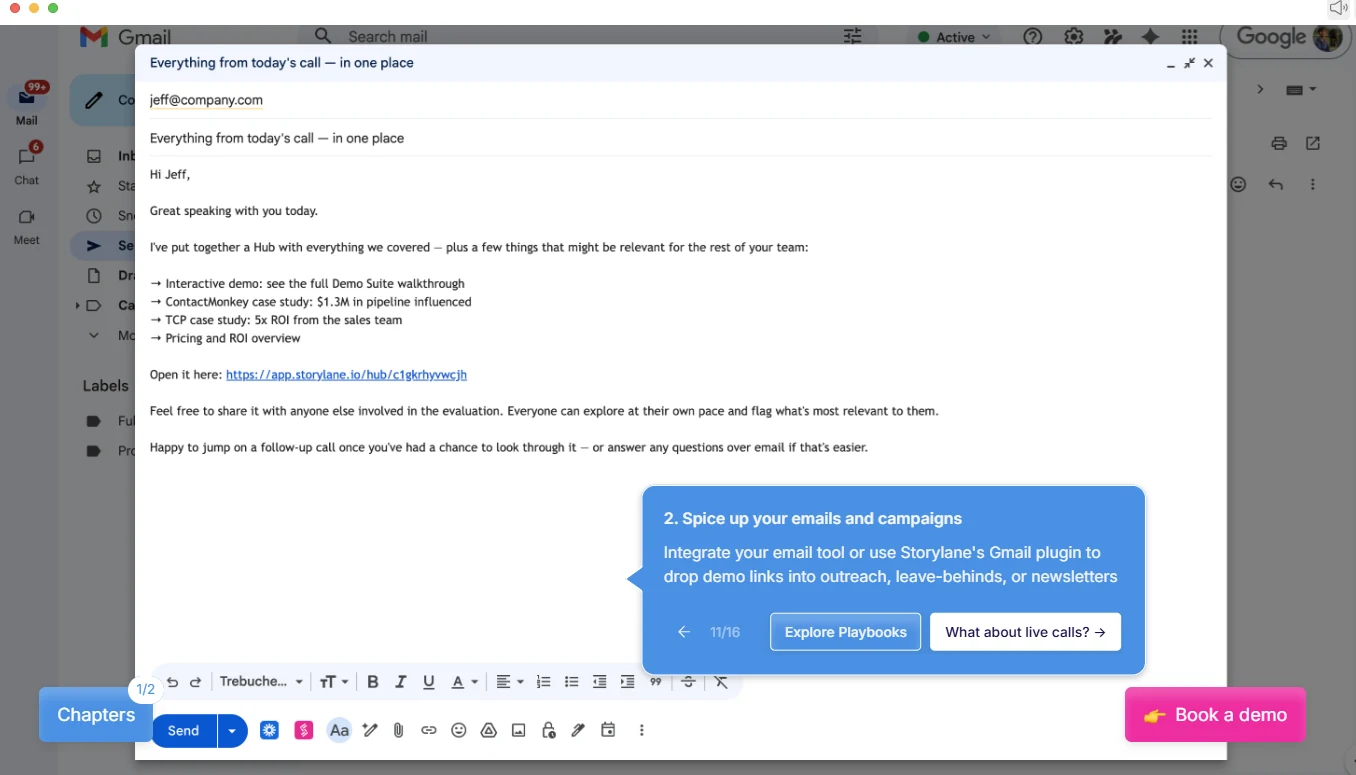
Storylane offers two core products: Demo Suite and RepX. Demo Suite helps teams create interactive, guided product walkthroughs. RepX is an AI sales agent that engages prospects in conversation, answers questions, and captures buyer intent.
Use cases
Marketing, Sales, Presales, & CX
Key features
Multiple demo capture formats
Capture a product using screenshots, videos, or HTML/CSS recording.
AI-generated guides
Choose an AI tone to generate context-specific guides as you capture screens, giving the demo a starting structure.
AI-powered HTML editing
Use prompts to edit HTML demos through Storylane's AI editor.
Text and image personalization
Assign text and image tokens to demo elements so they can be customized for different prospects or use cases.
Demo sharing and analytics
Share demos through links, website embeds, the browser extension, or Gmail. Generate personalized links and track engagement at the individual user level.
RepX AI agent
Engage website visitors, answer product questions, run interactive demos within chat, qualify leads, and book sales meetings automatically.
Customer reviews
4.7/5 on G2. Customers appreciate Storylane for its easy demo creation, AI-generated step-by-step guides, simple editing tools, and engagement tracking.
A limitation to consider
Storylane has a learning curve for new users, limited avatar customization options, and difficulty replicating complex workflows or configurations in interactive demos.
Pricing
Demo Suite: Offers five plans: Free at $0/month, Starter at $40/month, Growth at $500/month, Premium at $1,200/month, and Enterprise with custom pricing. HTML demos are available starting with the Growth plan. RepX: Growth starts at $2,000/month for up to 20,000 monthly visitors, while Premium starts at $3,000/month for up to 60,000 visitors. Enterprise offers custom pricing for higher traffic and advanced features.
3. Navattic
Navattic makes buying software easier with AI agents, interactive demos, and demo automation that help prospects explore products, understand key features, and evaluate solutions on their own schedule.
Use cases
Marketing, Growth & Demand Gen, SEs, Sales
Key features
Interactive demos
Capture web applications as realistic, pixel-perfect demos that preserve hover states, animations, and dynamic interactions.
Multilingual and offline demos
Translate demos into different languages and download demos for use at conferences and trade shows.
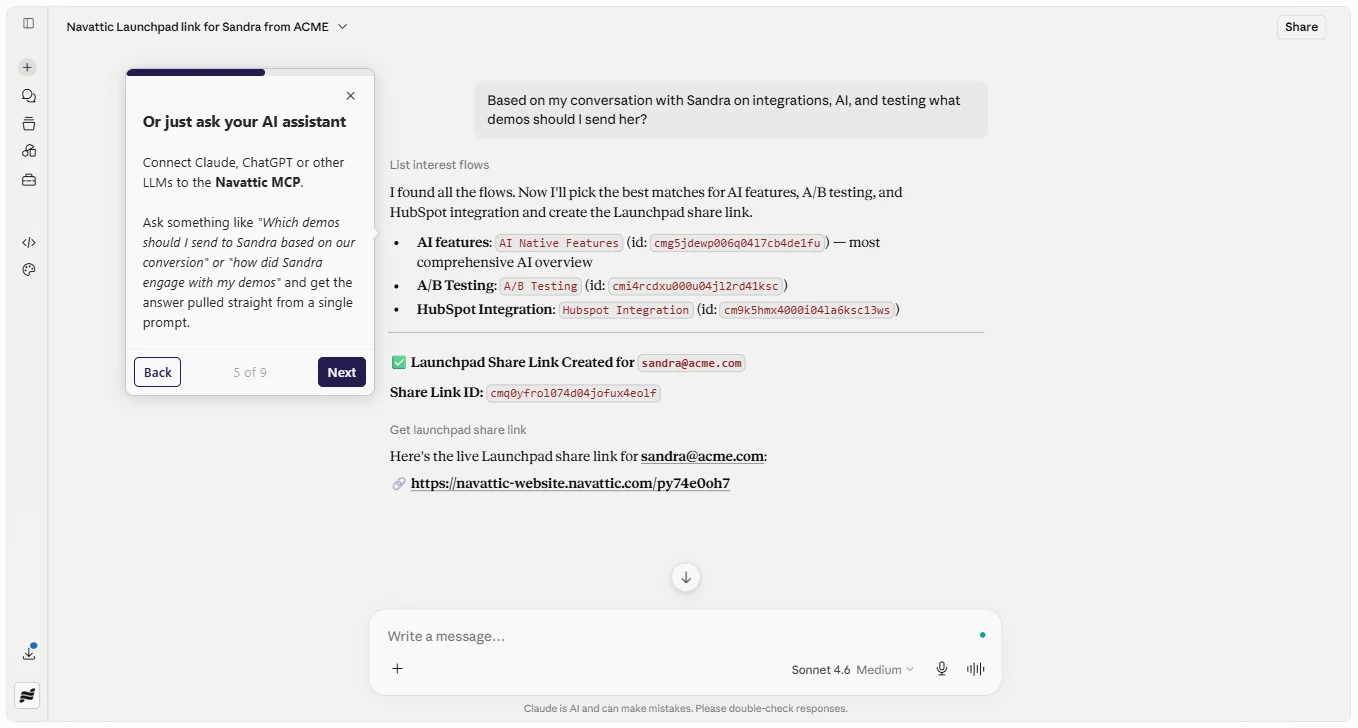
Navattic MCP
Connect with tools such as Claude and ChatGPT through Navattic's MCP support to build and edit demos, access analytics, and manage workspace data.
Launchpad
Organize reusable demos and resources, create sandbox demos for sales presentations, and help sales engineers reduce repetitive demo work.
Navattic agents
Engage prospects through AI-powered conversations, answer product questions, demonstrate workflows, qualify leads, and route interested buyers to sales meetings or other actions.
Customer reviews
4.8/5 on G2. Users appreciate Navattic for its flexible branding, quick screen updates, and simple sharing options.
A limitation to consider
Some editing tools are hard to find, and certain page elements may need extra adjustments when setting up triggers.
Pricing
Navattic offers four plans: Starter at $0/month, Base at $500/month, Growth at $1,000/month, and Enterprise with custom pricing. Navattic Agents have separate pricing.
4. Walnut
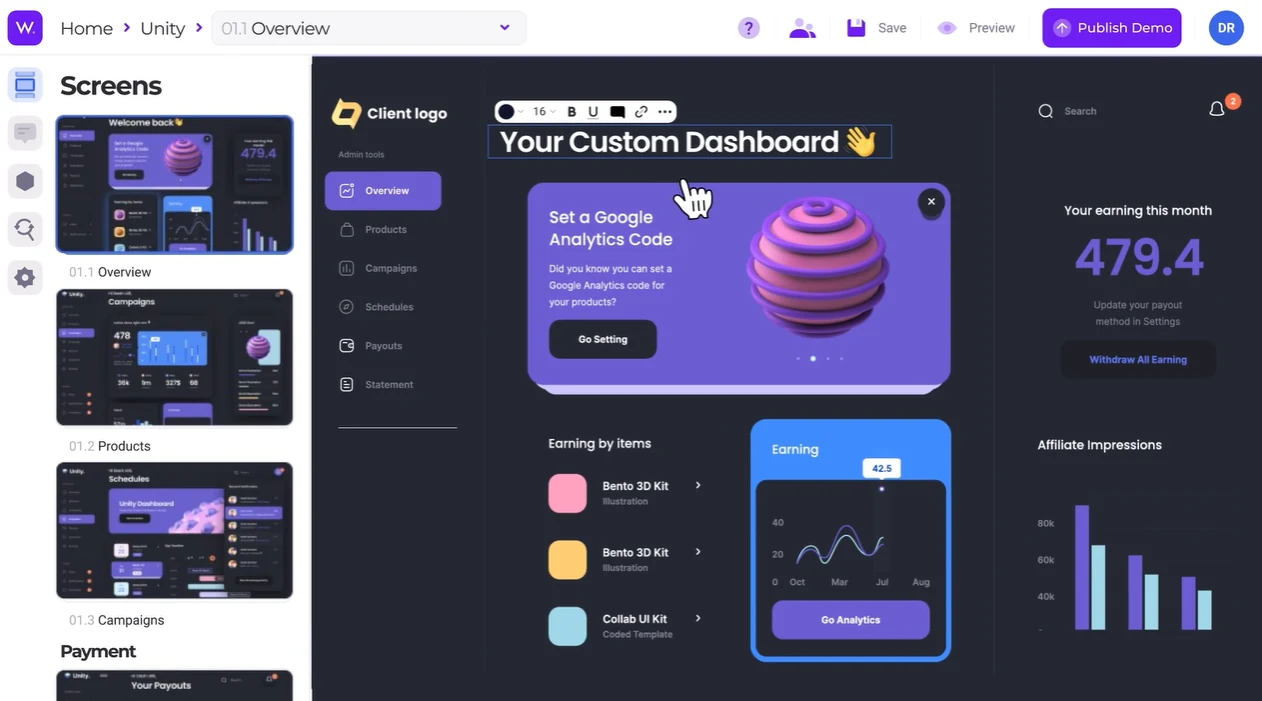
Walnut is an AI-powered buyer enablement platform for B2B SaaS teams that generates, personalizes, and maintains product demos based on a team’s narrative. It also offers personalized buyer deal rooms, engagement tracking, and deal insights in one platform.
Use cases
Marketing, Ops & Enablement, Presales, Sales, Customer Success
Key features
AI demo generation
Generate complete demo narratives, step descriptions, and guides from captured product screens using AI.
Product capture
Record product screens as editable web content while navigating through the application.
AI-powered editing
Rewrite steps, restyle elements, automate edits, and remove sensitive data using prompts.
Personalization at scale
Automatically replace names, logos, data, currencies, and dates across screens for different accounts.
Access controls
Configure email gating, link expiry, and demo access settings using prompts.
Demo sharing and embedding
Publish demos as shareable links, embed them on websites, or add them to deal rooms.
Customer reviews
4.5/5 on G2. Customers like Walnut because it makes it easy to customize demos for different buyers, highlight relevant features, and deliver a smooth, consistent product walkthrough.
A limitation to consider
Walnut demos need regular updates to stay accurate, especially when the product changes frequently.
Pricing
Walnut offers three plans: Ignite at $575/month, Accelerate at $1,550/month, both billed annually, and Scale with custom pricing.
5. Supademo
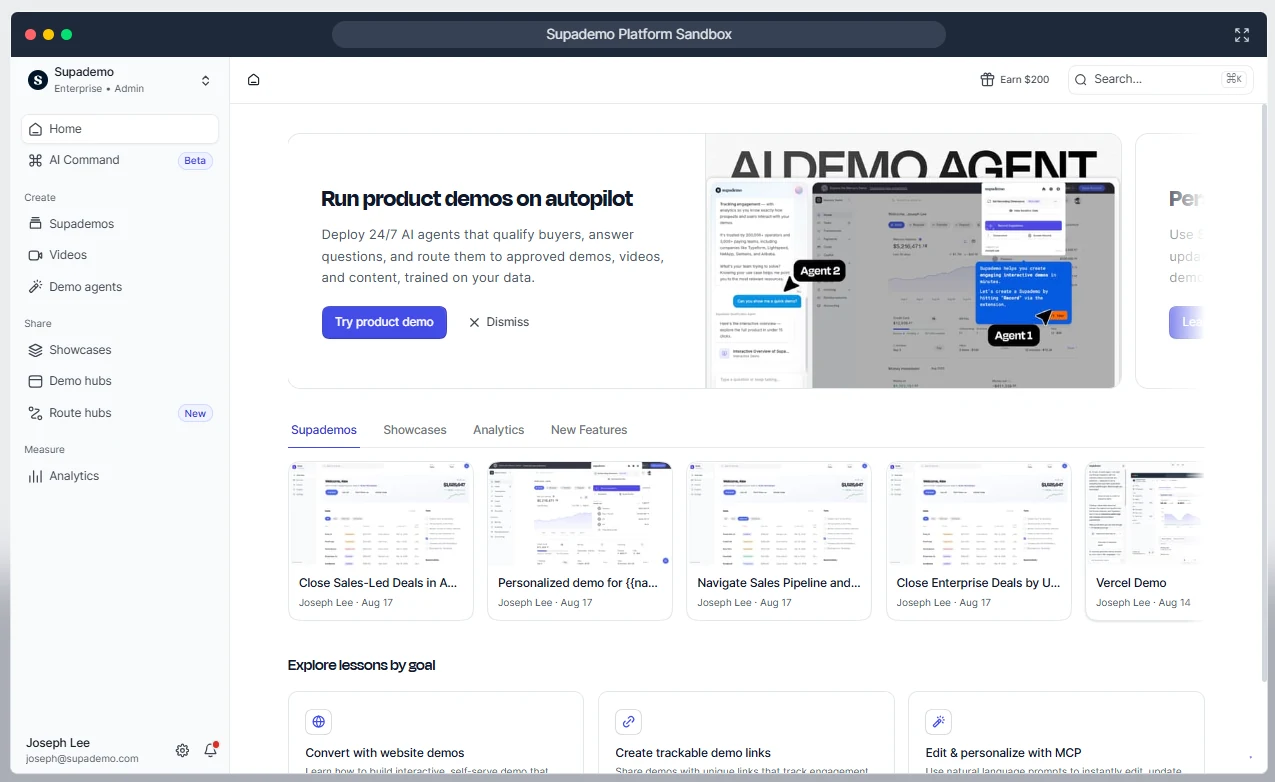
Supademo is an AI-powered demo platform that helps businesses create interactive product demos, videos, and step-by-step guides for sales, marketing, customer onboarding, and training.
Use cases
Customer Success, Customer Education, SEs, Sales, Marketing
Key features
HTML editing and personalization
Edit on-screen text, numbers, emails, logos, images, charts, and buttons. Use bulk editing or AI to personalize demo content for different viewers.
Sandbox demos
Give prospects an interactive environment to explore a product freely without setting up individual accounts or exposing real production data.
AI demo agent
Deploy an AI agent that engages prospects, conducts discovery, qualifies buyers, and recommends relevant demos, videos, and other sales materials.
Route hub
Create personalized content journeys that direct viewers to relevant demos, videos, presentations, and other resources through a single link.
Demo Hub
Organize and centralize interactive demos within a product to help users discover features, learn workflows, and adopt the product independently.
Engagement analytics
Track viewer counts, completion rates, and other engagement metrics to understand how audiences interact with demos.
Customer reviews
4.7/5 on G2. Customers like Supademo’s easy setup, auto-generated descriptions, and quick customer support.
A limitation to consider
Limited AI voiceover styles and occasional recording glitches with dynamic elements like modals and nested dropdown menus.
Pricing
Supademo offers a free plan, with paid plans starting at $38 per creator/month (Scale), $199/month (Business), and $350/month for five creators (Growth), billed annually. Enterprise pricing is custom and starts at 10 creators. The AI Demo Agent is an add-on with usage-based pricing.
6. Consensus
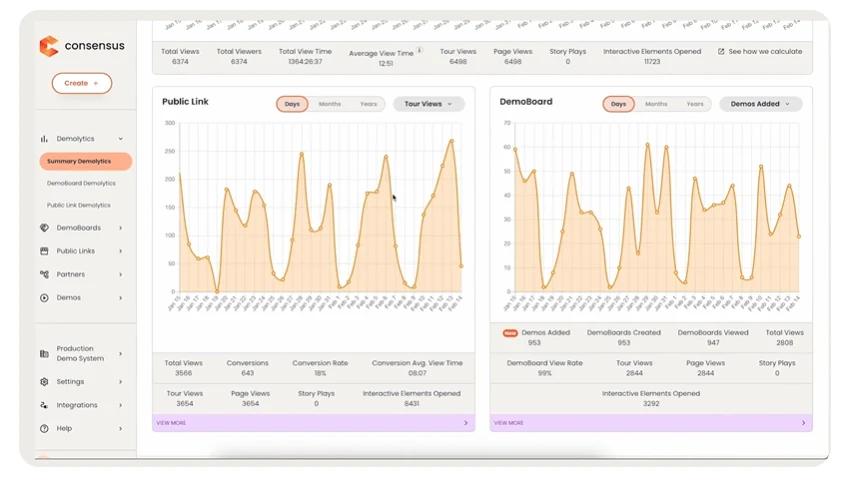
Consensus is a demo automation platform that creates buyer-led product experiences, helping prospects explore the features they care about and make informed buying decisions.
Use cases
Presales, Sales, Marketing, Customer Success
Key features
Live demos
Create demos with realistic business data and let AI agents deliver interactive demos around the clock.
Product tours
Build personalized, interactive tours that let buyers explore product features through guided walkthroughs or sandbox environments.
AI agents
Engage buyers through personalized conversations, answer questions, demonstrate features, and identify buying intent.
Video demos
Share personalized, AI-powered demo videos tailored to different buyers, industries, and languages.
Buyer signals
Track buyer engagement, identify interested stakeholders, and analyze interactions to understand purchase intent.
Customer reviews
4.7/5 on G2. Customers like Consensus for its simple, intuitive interface and in-depth analytics that provide valuable insights into buyer engagement.
A limitation to consider
Limited flexibility for sharing general demo videos, and UI updates that may lack clear communication.
Pricing
Consensus offers custom pricing.
7. Reprise
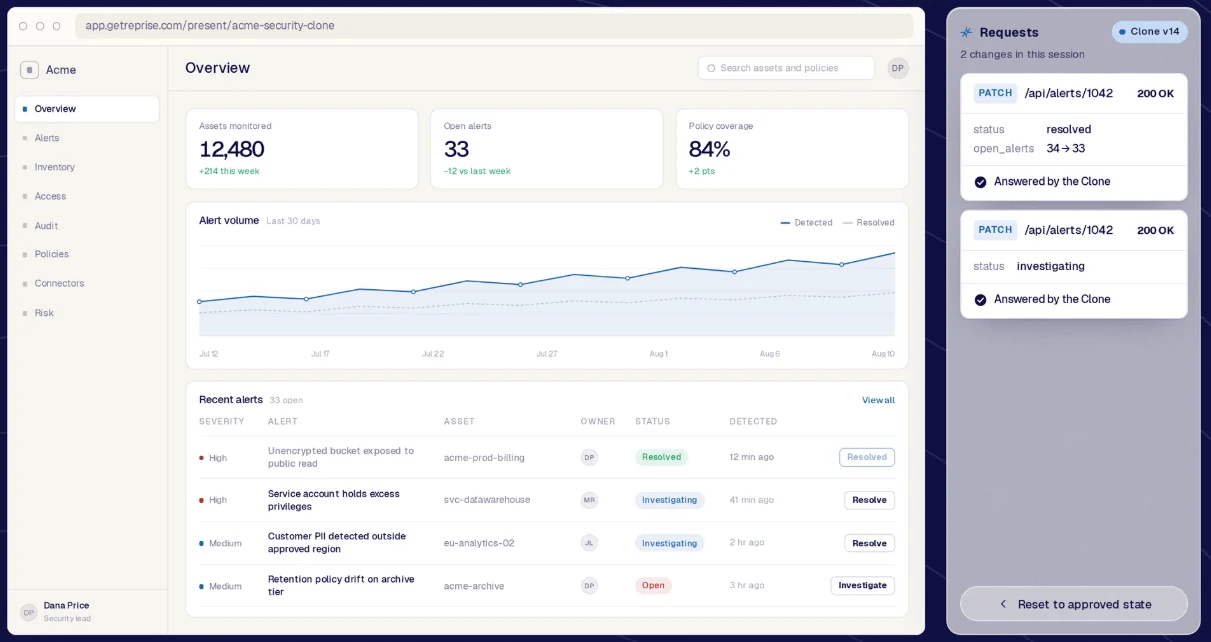
Reprise is a demo automation platform that supports the demo creation process from capture to hosting and helps sales and marketing teams use demos throughout the go-to-market process.
Use cases
Presales, Sales, Marketing
Key features
Data injection
Uses AI to create realistic, personalized demo data, fill empty screens, and replace sensitive customer information with safe data.
Application clones
Creates standalone copies of applications for demos, allowing prospects to explore workflows without accessing the live product or affecting production.
Enterprise controls
Supports reusable demo libraries, access permissions, version history, and governance for teams managing demos at scale.
Demo flows
Connect demos, videos, buyer choices, and forms into personalized journeys that guide prospects toward the next step.
Sales rooms
Create branded spaces where buying teams can access demos, videos, documents, shared plans, conversations, and follow-up actions.
Reusable templates
Reuse and adapt approved demos, flows, and sales rooms for different campaigns, audiences, and deals.
AI agents and MCP
Uses its built-in AI agent or connects with external AI tools like ChatGPT, Claude, and Copilot to create and customize demos.
Customer reviews
4.4/5 on G2. Customers like Reprise’s intuitive interface and the ability to create demos without engineering support.
A limitation to consider
Some advanced features can be challenging to understand, requiring extra time to learn and use effectively.
Pricing
Reprise offers custom pricing.
Demo automation software by team
Here is how different teams can choose the best demo automation software based on their goals, workflows, and demo requirements.
| Team | Recommended tools |
|---|---|
| Sales and Presales | Olto, Walnut, Consensus, Reprise |
| Sales Engineering | Reprise, Olto, Navattic |
| Customer Success and Onboarding | Olto, Supademo, Storylane |
| Marketing and Demand Generation | Navattic, Storylane, Walnut, Olto |
| Customer Education and Training | Olto, Supademo, Storylane |
| Revenue Enablement | Olto, Walnut, Consensus |
| AI-Powered Demo Experiences | Olto, Storylane, Navattic, Supademo |
| Enterprise Demo Environments | Reprise, Walnut, Olto |
How we evaluated these tools
We compared the seven demo automation tools across eight criteria to understand what each platform offers, where it fits best, and what buyers should consider before choosing one.
Use cases
Primary users and use cases each tool supports, from marketing and presales to sales engineering and customer onboarding.
Key features
Core capabilities such as AI Demo Agents, interactive walkthroughs, sandboxes, engagement analytics, and content sharing.
Customer reviews
Customer feedback on G2, looking at overall ratings and recurring feedback about usability, demo creation, support, and performance.
Limitations
Practical drawbacks, including setup complexity, editing challenges, customization constraints, and ongoing maintenance.
Pricing
Free plans, entry-level pricing, paid tiers, and custom enterprise packages.
Demo format coverage
Formats each tool supports, including screenshot-based demos, HTML demos, videos, live demos, interactive tours, sandboxes, and AI-led experiences.
Ease of creation
The simplicity of building and updating demos, considering no-code workflows, recording tools, AI assistance, and manual setup requirements.
Personalization and interactivity
The extent to which demos can be tailored to individual buyers through customized text, images, and data, along with interactive workflows and consistency across screens.
Frequently asked questions
What is the best demo automation software for B2B SaaS?
The best demo automation software depends on your use case, budget, and preferred demo formats. Olto is a strong choice for B2B SaaS teams looking to combine multiple demo formats, personalized buyer experiences, and AI Demo Agents in one platform.
What is the difference between product tour and demo automation software?
Product tour software focuses on guided, step-by-step walkthroughs that help users understand features and workflows, often during onboarding and product adoption. Demo automation software is a broader category that helps teams create, personalize, and share demos at scale for marketing, sales, presales, and customer education.
Which tools integrate with Salesforce and HubSpot?
Olto, Storylane, Navattic, Walnut, Reprise, Supademo, and Consensus offer CRM integrations with Salesforce, HubSpot, or both. Available integrations and features vary by platform and pricing plan, so check each tool's current integration options before choosing.
What is the best option for solutions engineers?
Olto is a strong choice for solutions engineers who want live demos, personalized product experiences, and AI Demo Agents in one platform. Reprise and Walnut are also worth considering for teams that need advanced demos and sandbox environments.
Can demo automation be personalized automatically?
Yes. Some demo automation tools personalize demos using CRM data, prospect details, and predefined settings. Depending on the software, this can include customized names, images, graphs, and other product data to tailor the experience to each buyer or account.
How much does demo automation software cost?
Pricing ranges from free plans to paid subscriptions and custom enterprise quotes. Costs depend on the number of users, demo formats, integrations, and advanced features included.
What is an AI demo agent?
An AI demo agent is an AI-powered product guide that answers prospect questions, explains features, and helps buyers explore relevant workflows. It can also capture buying signals and help sales teams follow up.
Do I need engineering help to create demos?
Most demo automation tools offer no-code or low-code builders, allowing sales and marketing teams to create demos without writing code. However, complex integrations, live product data, or advanced customizations may require technical support.