'/%3e%3cpath%20d='M37.8504%2018.9728C38.6408%2019.754%2039.5913%2020.1446%2040.7021%2020.1446C41.8128%2020.1446%2042.7527%2019.754%2043.5217%2018.9728C44.312%2018.1915%2044.7072%2017.1041%2044.7072%2015.7105C44.7072%2014.3169%2044.312%2013.2294%2043.5217%2012.4482C42.7527%2011.6669%2041.8128%2011.2763%2040.7021%2011.2763C39.5913%2011.2763%2038.6408%2011.6669%2037.8504%2012.4482C37.0814%2013.2294%2036.697%2014.3169%2036.697%2015.7105C36.697%2017.1041%2037.0814%2018.1915%2037.8504%2018.9728ZM34.7745%209.78766C36.3552%208.22514%2038.331%207.44388%2040.7021%207.44388C43.0731%207.44388%2045.0383%208.22514%2046.5976%209.78766C48.1783%2011.3502%2048.9686%2013.3244%2048.9686%2015.7105C48.9686%2018.0965%2048.1783%2020.0707%2046.5976%2021.6333C45.0383%2023.1958%2043.0731%2023.977%2040.7021%2023.977C38.331%2023.977%2036.3552%2023.1958%2034.7745%2021.6333C33.2152%2020.0707%2032.4355%2018.0965%2032.4355%2015.7105C32.4355%2013.3244%2033.2152%2011.3502%2034.7745%209.78766Z'%20fill='var(--fill-0,%20white)'/%3e%3cpath%20d='M5.4149%2018.9728C6.20524%2019.754%207.15579%2020.1446%208.26654%2020.1446C9.37729%2020.1446%2010.3172%2019.754%2011.0861%2018.9728C11.8765%2018.1915%2012.2716%2017.1041%2012.2716%2015.7105C12.2716%2014.3169%2011.8765%2013.2294%2011.0861%2012.4482C10.3172%2011.6669%209.37729%2011.2763%208.26654%2011.2763C7.15579%2011.2763%206.20524%2011.6669%205.4149%2012.4482C4.64592%2013.2294%204.26143%2014.3169%204.26143%2015.7105C4.26143%2017.1041%204.64592%2018.1915%205.4149%2018.9728ZM2.33898%209.78766C3.91966%208.22514%205.89552%207.44388%208.26654%207.44388C10.6376%207.44388%2012.6027%208.22514%2014.1621%209.78766C15.7427%2011.3502%2016.5331%2013.3244%2016.5331%2015.7105C16.5331%2018.0965%2015.7427%2020.0707%2014.1621%2021.6333C12.6027%2023.1958%2010.6376%2023.977%208.26654%2023.977C5.89552%2023.977%203.91966%2023.1958%202.33898%2021.6333C0.779661%2020.0707%200%2018.0965%200%2015.7105C0%2013.3244%200.779661%2011.3502%202.33898%209.78766Z'%20fill='var(--fill-0,%20white)'/%3e%3cpath%20d='M22.1179%201.08627H17.9164L17.9243%2019.2885C17.9243%2021.8906%2020.0337%2024%2022.6357%2024H24.0775L24.0775%2020.153C23.971%2020.153%2023.8987%2020.1545%2023.837%2020.1558C23.7283%2020.1581%2023.6525%2020.1597%2023.481%2020.1511C22.7864%2020.1511%2022.1216%2019.6066%2022.1216%2018.7285H22.1179V1.08627Z'%20fill='var(--fill-0,%20white)'/%3e%3cpath%20d='M29.4871%205.79432V1.13843H25.3063V12.6451H25.3036V18.7449C25.3036%2021.6296%2027.6422%2023.9682%2030.527%2023.9682C32.5598%2023.9682%2033.6029%2022.8822%2033.6367%2022.8464C33.6238%2022.8338%2033.611%2022.8211%2033.5981%2022.8084C32.8486%2021.9193%2032.1417%2020.9468%2031.6168%2019.9211C30.2873%2020.6513%2029.4877%2019.8886%2029.4877%2018.8455V12.6451H29.4871V9.53171H32.6227V5.79432H29.4871Z'%20fill='var(--fill-0,%20white)'/%3e%3c/g%3e%3c/svg%3e)
Best product demo software for B2B SaaS in 2026
Product demo software helps teams show how their product works through live demos, interactive walkthroughs, videos, sandboxes, and AI-guided experiences. The right platform makes demos faster to create, easier to personalize for each buyer, and simpler to keep up to date as the product changes.
This guide compares the 7 best product demo software tools in 2026, covering their features, pricing, limitations, and best-fit use cases.
 By Kintan Brahmbhatt
Buyer guide
Best product demo software
Pricing checked
Best product demo software at a glance
Here’s a quick look at the best product demo software tools for different team goals and use cases.
| Team or objective | Tools to consider |
|---|---|
| Multiple demo formats and post-sale enablement | Olto |
| Customer onboarding and product education | Olto, Supademo |
| Self-guided presales and buyer qualification | Olto, Consensus |
| Website conversion and marketing campaigns | Storylane, Navattic, Olto |
| Realistic application clones and live demo environments | Olto, Reprise |
| Enterprise sales and complex deal management | Walnut, Reprise |
What is product demo software?
Product demo software helps businesses show potential customers how their products work. For example, a software company can use it to show how its tool automates a task, solves a problem, or helps users complete a workflow.
Product demo software helps teams create, share, and manage product demos. Some tools focus on a single demo format, while others support multiple formats, giving businesses more ways to showcase their products.
These demos can take different forms:
Live demos
A salesperson walks a prospect through the product during a call.
Interactive demos
Prospects click through a guided version of the product on their own.
Demo videos
Recorded walkthroughs show how the product or a specific feature works.
Sandboxes
Prospects get a test environment where they can try the product themselves.
AI-guided demos
AI helps prospects explore relevant features and answers their questions.
Best product demo software compared
The best product demo software depends on your team’s goals, the demo formats you need, and your implementation requirements. Here’s how the leading tools compare across key features, pricing, setup time, and user ratings.
| Tool | Best for | Key strengths | Implementation time | Entry price | Free tier | G2 rating |
|---|---|---|---|---|---|---|
| Olto | Consolidating multiple product demo formats in one AI-powered platform | AI Demo Agents, live demos + data injection, product videos, sandboxes, interactive product tours, how-to guides | Under 1 week | Custom | No | 4.9/5 |
| Storylane | Interactive HTML and screenshot-based demos | AI content creation, demo personalization, multimedia, RepX AI sales agents | <1 month | $40/month/seat | Yes | 4.7/5 |
| Navattic | ABM and demand-generation campaigns | HTML demos, demo localization, reusable demo libraries, personalized sharing | 1 month | $500/month/5 seats | Yes | 4.8/5 |
| Walnut | Sales teams managing complex deals with personalized demos and digital sales rooms | Interactive HTML demos, Buyer Xpert, deal rooms, deal intelligence | 1 month | $575/month/3 Editor seats/3 Presenter seats | No | 4.5/5 |
| Supademo | Product walkthroughs, onboarding, and customer education | Interactive demos, sandbox environments, in-app tours, mobile demos, AI voiceovers | 1 month | $38/month/creator | Yes | 4.7/5 |
| Consensus | Automating presales demos and tracking buying-group engagement | On-demand video demos, AI Demo Agent, Saleo-powered live demos, engagement analytics | 2 months | Custom | No | 4.7/5 |
| Reprise | Enterprise teams needing high-fidelity demos and application clones | Full application clones, live data injection, customizable demo flows, analytics | 3 months | Custom | First demo free | 4.4/5 |
Pricing and plan details were checked as of October 2026, where publicly available. Vendors may change prices, seat limits, billing terms, and feature access, so confirm the current package before purchasing.
How to choose product demo software
The right product demo software depends on your product's complexity, the teams using it, and how buyers need to experience it. Evaluate these factors before choosing a platform.
Personalization and accuracy
Check whether the software can personalize demos to specific industries, use cases, company names, roles, and customer data. Personalization should remain consistent across screens, workflows, charts, and reports throughout the demo.
Product complexity
Choose a platform that can accurately represent your product's workflows. Simple products may work well with screenshot-based or HTML demos, while complex applications may need live data injection, interactive sandboxes, or application clones.
Demo formats
Identify the demo formats you need, such as interactive HTML demos, screenshots, recorded videos, live product demos, sandboxes, or AI Demo Agents. When evaluating the best product demo software, check whether one platform supports all your requirements or whether you need multiple tools.
Maintenance and updates
Product interfaces change frequently. Look for tools that make it easy to update captured screens, workflows, data, and walkthrough instructions when your product evolves. Consider how much manual work each update requires.
Implementation effort and support
Evaluate the time, technical skills, and resources needed to launch your first demo. Check whether the vendor offers onboarding, migration assistance, documentation, and technical support.
Customization and editing
Check how much control you have over branding, layouts, text, navigation, data, and interactive elements. Prompt-based editing can speed up changes, while advanced editing options may be necessary for complex requirements.
Ease of use
When evaluating product demo tools for SaaS, consider how easily marketers, sales representatives, and solutions engineers can create, edit, publish, and share demos. Platforms that require developer involvement for routine changes may slow teams down.
AI capabilities
Look beyond AI-assisted demo creation. Depending on your needs, useful features may include automated editing, content generation, localization, AI avatars, conversational demo agents, and lead qualification.
Scalability
Consider whether the platform can support more products, features, teams, use cases, and prospects as your business grows. Reusable templates, centralized asset libraries, permissions, and version control help teams manage demos at scale.
Analytics and insights
Check whether analytics go beyond basic views and completion rates. Useful insights include screen-level engagement, drop-off points, repeat visits, CTA clicks, buyer questions, and signals that help sales teams identify interested prospects.
Security and access controls
Review how the platform handles sensitive product information and customer data. Look for access permissions, data protection controls, and options to mask sensitive information. For enterprise use, assess the vendor against your organization's security and compliance requirements.
Integrations
When comparing tools to find the best product demo software for sales teams, check whether they integrate with your CRM, marketing automation tools, analytics systems, and sales engagement software. These integrations help teams track demo engagement and pass relevant data into existing workflows without manual updates.
Pricing and total cost
Compare more than the starting subscription price. Factor in creator seats, viewer or visitor limits, AI usage, implementation fees, premium features, and add-ons. Check whether the pricing model remains practical as adoption grows.
The 7 best product demo software tools
Here’s a curated list of the best product demo software tools, compared by pricing, features, capabilities, ideal use cases, pros and cons, ratings, and notable customers.
1. Olto
Consolidated, AI-powered product experiences across multiple formats, with fast implementation.
Use cases
Presales, Sales, SEs, GTM, Marketing
Notable customers
Drata, Lattice, Ironclad
Typical implementation time
Under 1 week
Key features
One AI-native platform
Create live demos, AI Demo Agents, sandboxes, interactive tours, product videos, and how-to guides in one place.
Personalized demos
Tailor product screens, data, and workflows to each prospect’s role and use case, with consistent details across screens.
Front-end implementation
Build demos on top of your existing product UI without needing a separate backend or API project.
AI Demo Agents
Let prospects explore your product, ask questions, and get personalized demos anytime. Agents can also qualify leads and send useful context to sales.
Editable demos
Change text, labels, records, numbers, and click paths to match each prospect’s needs.
Prompt-based demo creation
Describe the demo you want in plain language, and Olto generates the relevant product flow and sample data.
Demo analytics
Track demo sessions, page views, viewing time, and the pages or environments that attract the most attention.
Customer reviews
4.9/5 on G2. Users like how Olto speeds up demo creation, simplifies customization, produces realistic product experiences, and offers reliable customer support.
A limitation to consider
Olto is primarily designed for web-based products and may not fit teams whose demo requirements center on mobile apps.
Pricing
Olto offers custom pricing.
2. Storylane
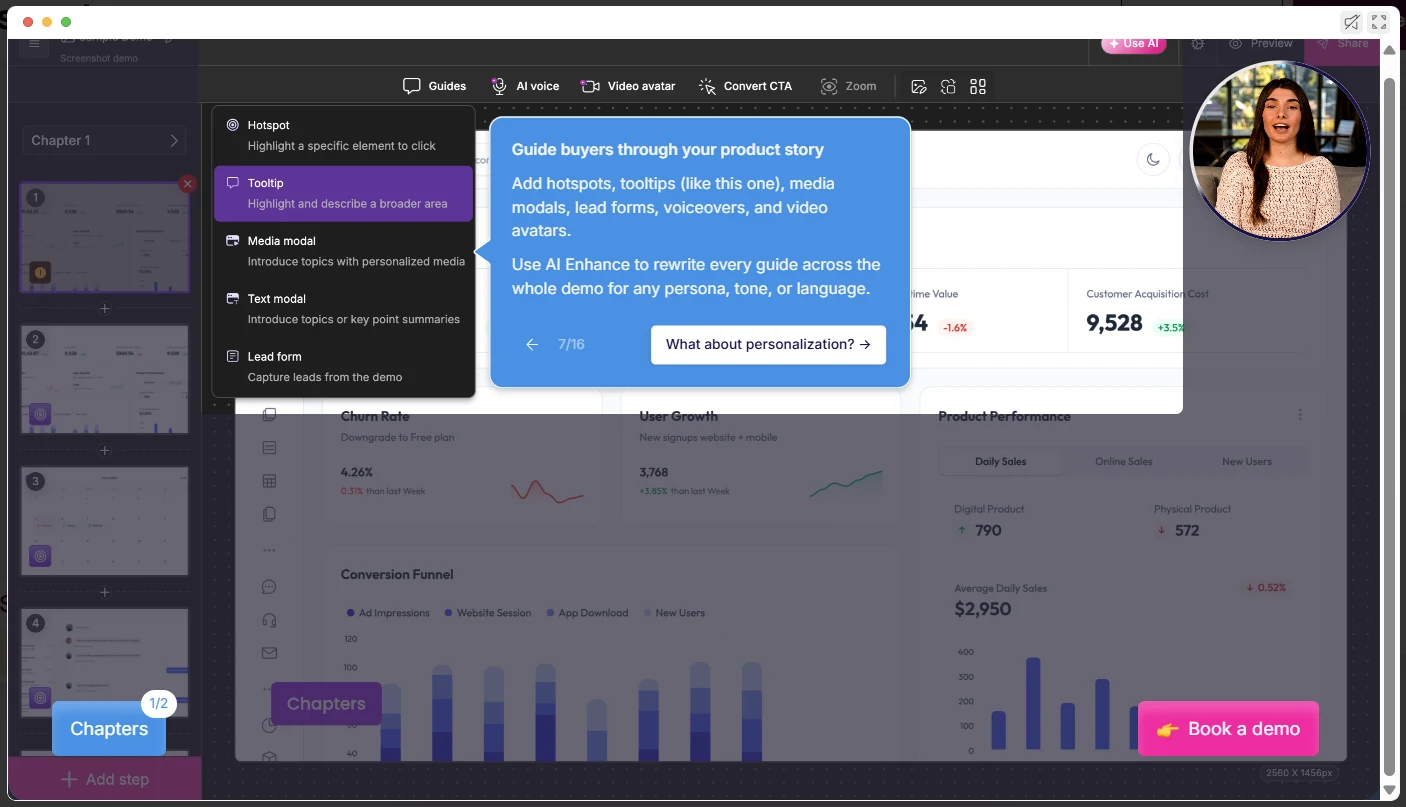
Marketing teams creating screenshot-based and HTML demos, with a free tier to get started.
Use cases
Marketers, Growth & Demand Gen, Sales, Presales, SEs, Customer Success
Notable customers
Hospitable, Respond.io, Dreamdata
Typical implementation time
<1 month
Key features
RepX
AI sales agents that engage website visitors, answer product questions, qualify leads, and handle objections.
Storylane MCP
Connects Storylane to AI assistants like ChatGPT and Claude, allowing teams to create and personalize demos using natural-language prompts.
AI-powered content creation
Generate walkthrough instructions and improve demo copy with AI, reducing the amount of manual writing and editing.
Demo personalization
Adapt demo content to different buyer roles, industries, or companies to make product messaging more relevant.
Multimedia elements
Add video avatars, voiceovers, pop-ups, and guided instructions to make demos easier to follow.
Hubs
Bring demos, case studies, videos, and other sales materials together in one shareable space.
Customer reviews
4.7/5 on G2. Users find the platform easy to use and appreciate its AI features, particularly the AI avatars.
A limitation to consider
Limited visibility into lead-level engagement. Gaps in reporting depth and integrations for identifying prospects who interact with demos.
Pricing
Demo Suite: Offers a free plan, with paid plans starting at $40/month for Starter, $500/month for Growth, and $1,200/month for Premium. Enterprise pricing is custom. RepX: Priced separately, starting at $2,000/month for Growth (up to 20,000 monthly visitors) and $3,000/month for Premium (up to 60,000 visitors), while Enterprise plans have custom pricing.
3. Navattic
ABM and demand-generation campaigns with interactive HTML demos.
Use cases
Marketers, Growth & Demand, Sales, SEs
Notable customers
Lattice, Vitally, Ramp
Typical implementation time
1 month
Key features
Use case adaptation
Repurposes existing demos for different audiences, goals, and training needs.
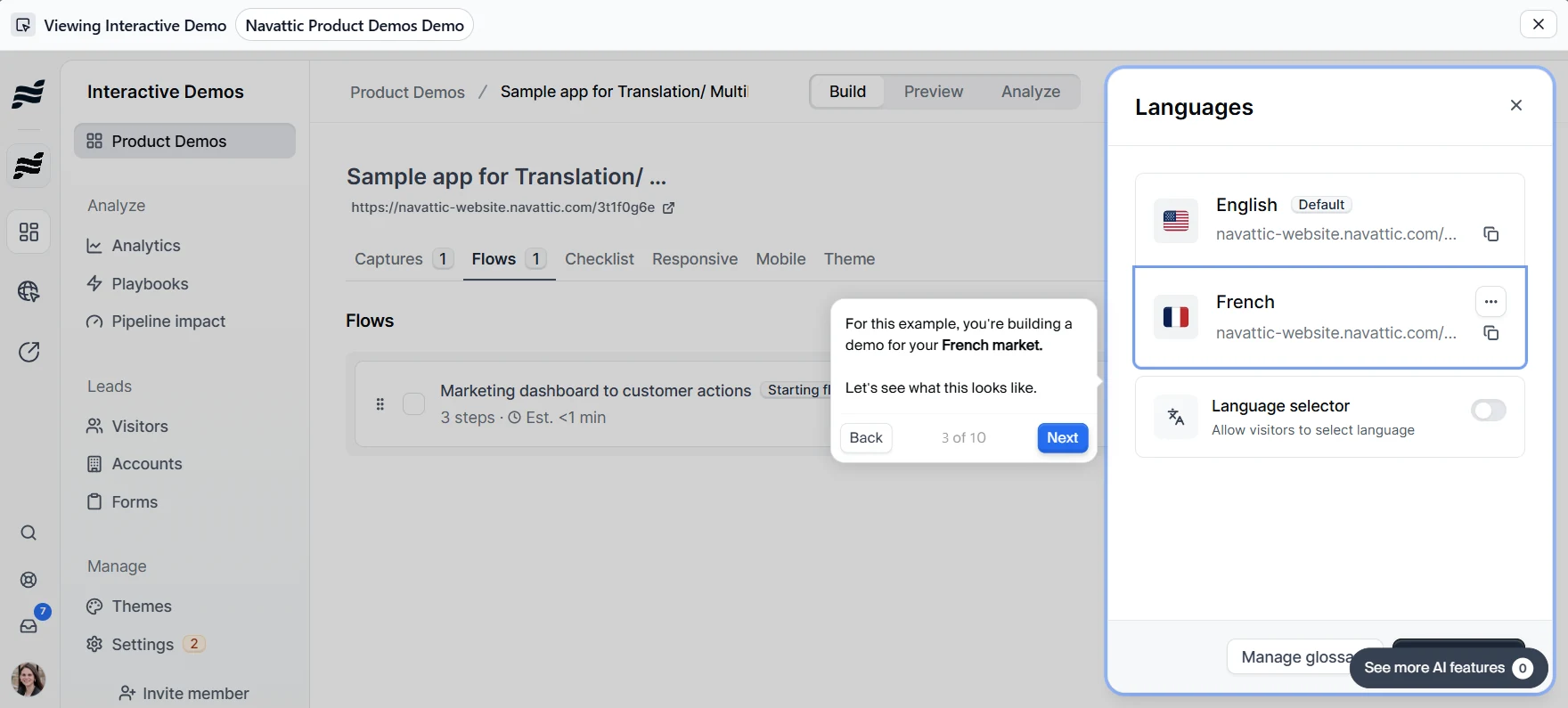
Translation and localization
Translates demo text, product screens, and voiceovers into 20+ languages, with an option for visitors to switch languages.
Reusable demo library
Stores prebuilt demos, videos, and sales resources that teams can reuse and customize for different prospects.
Personalized demo sharing
Send tailored demos before or after calls, including versions that buyers can explore based on their level of interest.
AI-powered conversations
Answer prospect questions using existing product documentation, FAQs, videos, and other company content.
Buying group discovery
Shows when prospects share demos with colleagues, helping sales reps identify other stakeholders involved in the purchase.
Customer reviews
4.8/5 on G2. Users appreciate Navattic’s intuitive interface, flexible branding options, and easy-to-manage HTML demo editing.
A limitation to consider
Capturing specific web pages can be tricky, and some CSS styling may not appear correctly in the captured demos.
Pricing
Navattic has a free Starter plan with one demo. Paid plans start at $500/month for Base and $1,000/month for Growth, both billed annually. Enterprise pricing is custom. AI agents are priced separately.
4. Walnut
Sales teams that need personalized, interactive demos for complex sales cycles, along with digital sales rooms.
Use cases
Marketing, Sales, Presales, Customer Success, Ops & Enablement
Notable customers
Riverbed, Forma, Darwinbox
Typical implementation time
1 month
Key features
Interactive HTML demos
Creates clickable demos that resemble the actual product, rather than static screenshots.
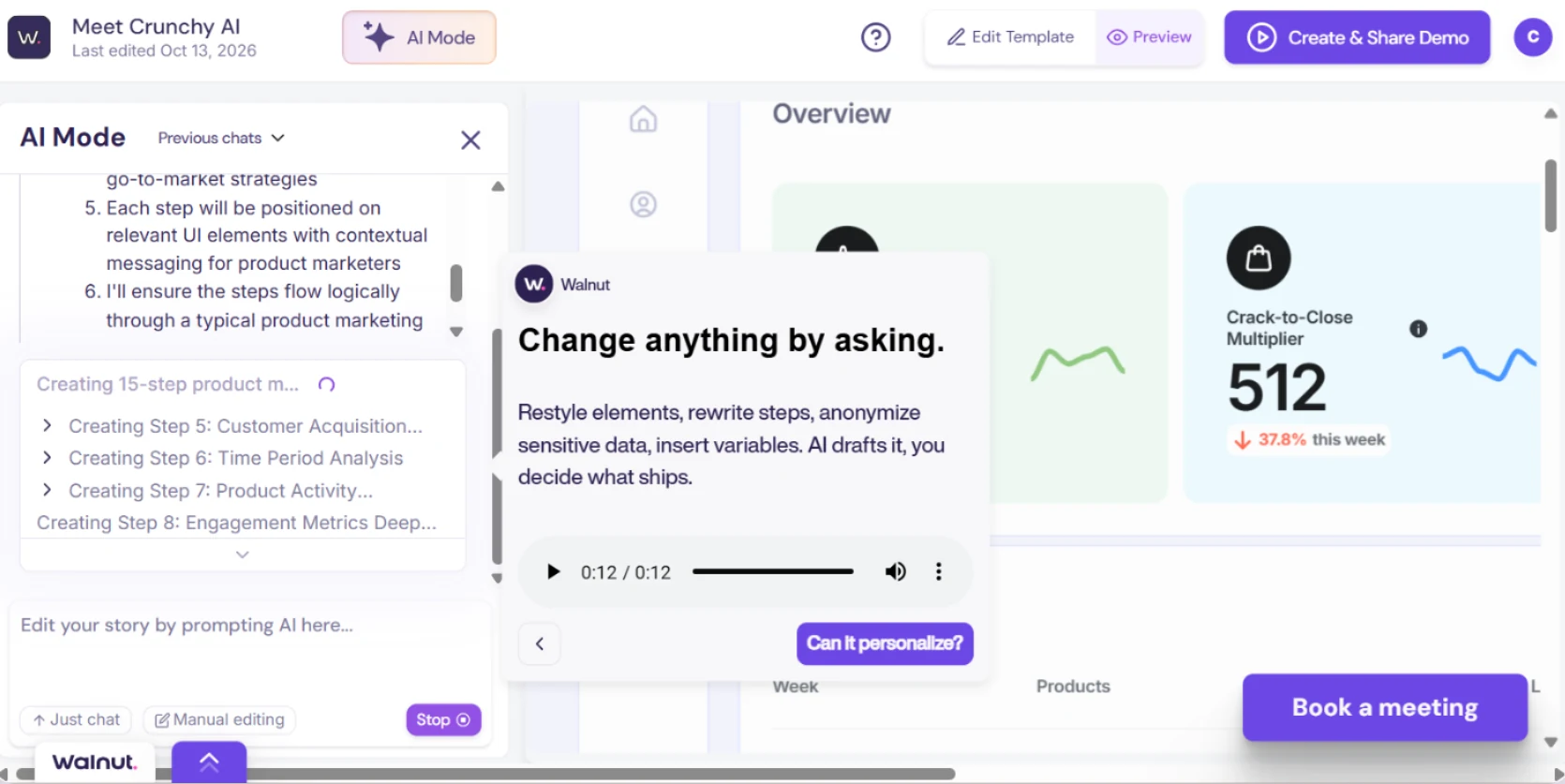
Automated demo editing
Updates demo content, sample data, and narration through prompts, reducing manual editing.
Multilingual demos
Translates product screens and narration into 25+ languages.
Buyer Xpert
Answers buyer questions, captures conversation details, and connects interested prospects with sales reps.
Deal rooms
Builds personalized sales rooms containing demos, documents, and mutual action plans using CRM deal information.
Demo analytics and AI insights
Tracks engagement, identifies drop-off points, and answers questions about buyer behavior using funnel and heat-map data.
Customer reviews
4.5/5 on G2. Users like Walnut’s ability to create structured, personalized demos that match each prospect’s needs and keep sales conversations focused on product value.
A limitation to consider
Keeping demos aligned with product updates requires ongoing maintenance.
Pricing
Walnut has three pricing plans, billed annually. Ignite costs $575/month, Accelerate costs $1,550/month, and Scale has custom pricing.
5. Supademo
Interactive product walkthroughs and tutorials for user onboarding, product adoption, and customer support.
Use cases
Customer Success, Customer Education, L&D Teams, SEs, Sales, Enterprise Teams
Notable customers
Orbitax, Spare, VRIFY
Typical implementation time
1 month
Key features
Interactive HTML demos
Creates clickable, realistic replicas of software interfaces without coding.
Sandbox demos
Provides safe, interactive product environments where prospects can explore features without affecting live systems.
In-app tours and onboarding
Guides users through product features and workflows to support training, adoption, and customer onboarding.
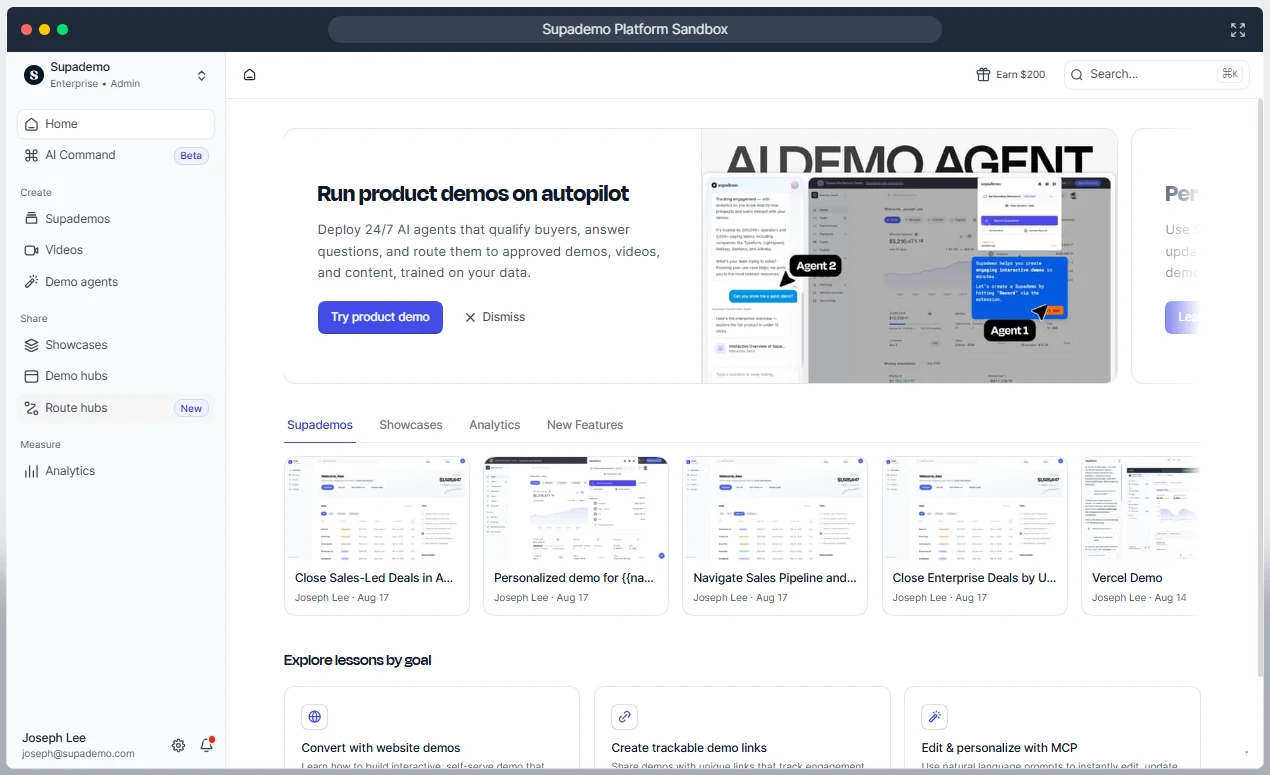
RouteHub
Directs viewers to relevant demos, videos, documents, and other content based on their roles, goals, or use cases.
Mobile demos
Creates guided demos of iOS and Android apps using screen recordings or emulators.
AI voiceovers and avatars
Adds narration and AI-generated presenters to product walkthroughs.
Sharing and embedding
Distributes demos through trackable links or embeds them in websites, documentation, and knowledge bases.
Customer reviews
4.7/5 on G2. Users appreciate Supademo’s intuitive interface, simple demo recording and editing process, and useful analytics. They also value its AI assistant and auto-zoom features.
A limitation to consider
Higher-tier plans can be expensive, especially when multiple team members need creator seats. Demo editing can also feel too manual, with some restrictions on customization.
Pricing
Demo Platform: Supademo offers a free plan, with paid plans starting at $38/month. The Business plan costs $199/month, while the Growth plan costs $350/month. Enterprise pricing is custom. AI Demo Agent: Available as an add-on, with 1,500 free credits on eligible paid plans, followed by usage-based charges.
6. Consensus
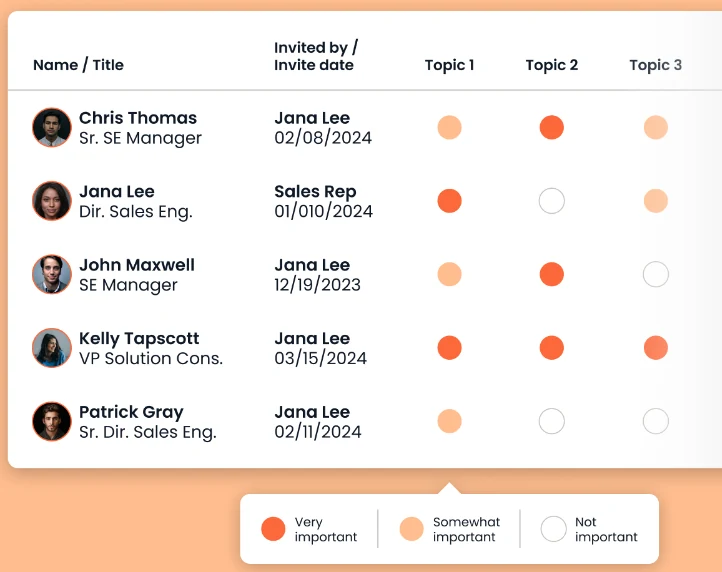
Sales teams automating product demos, qualifying leads, and tracking buying-group engagement across complex sales cycles.
Use cases
Presales, Sales, Marketing, Customer Success
Notable customers
6sense, Skai, Follett
Typical implementation time
2 months
Key features
On-demand video demos
Lets teams record and share reusable product presentations that buyers can watch whenever they want.
AI demo agent
Delivers autonomous, interactive product demos, answers buyer questions, and supports self-guided exploration.
Live demos with Saleo
Injects personalized, realistic data into the native product interface.
Interactive product tours
Creates HTML-based, video-based, and sandbox tours that let buyers explore product features at their own pace.
AI-powered personalization
Uses prompts to adapt demo content and experiences to a buyer’s industry, needs, and use cases.
Demolytics
Tracks demo views, engagement, feature interactions, and content downloads to identify buyer interests and evaluate demo performance.
Customer reviews
4.7/5 on G2. Users like Consensus for its user-friendly interface, centralized content management, and detailed engagement analytics.
A limitation to consider
The video preview option can be difficult to locate, and the interactive elements in demos could be more engaging.
Pricing
Consensus offers custom pricing.
7. Reprise
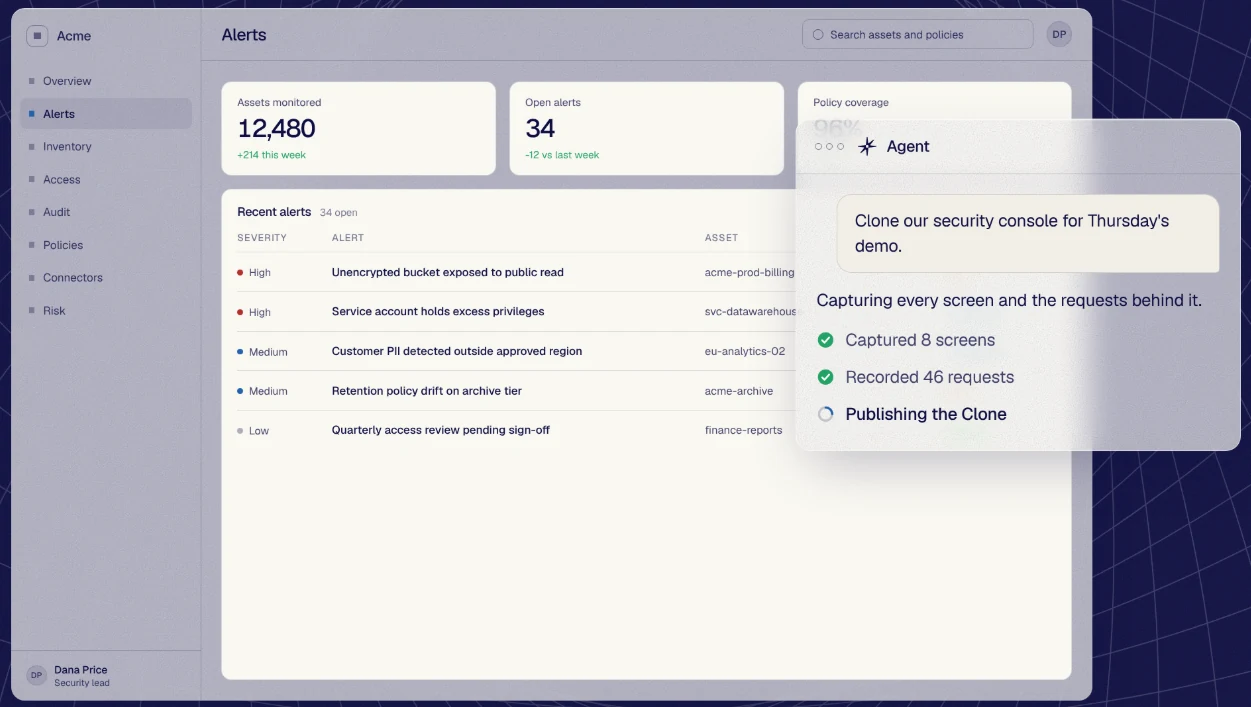
Enterprise teams that need high-fidelity, customizable demos, including full application clones, and interactive product tours.
Use cases
Presales, Sales, Marketing
Notable customers
Cloudera, Databricks, Unbabel
Typical implementation time
3 months
Key features
Application clones
Create standalone, interactive versions of web applications that replicate key screens and workflows.
Data injection
Fills empty product screens with realistic synthetic data, replaces sensitive information, and personalizes records, charts, and dashboards for specific prospects, industries, or use cases.
Demo flows
Connects product tours, application clones, videos, buyer choices, and forms into personalized journeys.
Demo analytics
Tracks buyer engagement with demos and tours, including interactions and drop-offs.
Reprise MCP
Connects Reprise with AI assistants such as ChatGPT, Claude, and Copilot, enabling teams to create and personalize demos.
Customer reviews
4.4/5 on G2. Users appreciate how easy it is to find and share demos with prospects, along with its clean interface, guided workflows, and smooth demo experience.
A limitation to consider
Click-through demos can feel limited when buyers need audio commentary or answers to unexpected questions.
Pricing
Reprise offers custom pricing.
How we evaluated these tools
We assessed each platform based on how well it helps teams create demos, deliver them to buyers, and understand their impact on the sales process.
Demo formats
Whether the tool supports interactive HTML demos, live demos, sandboxes, videos, application clones, or AI Demo Agents.
Ease of use
How quickly teams can build, customize, and update demos.
Personalization
How well demos adapt to different buyers, use cases, and product data.
AI capabilities
Whether AI assists with demo creation or enables buyers to explore products independently.
Analytics and integrations
How well teams can track engagement, identify buyer interest, and connect insights to sales workflows.
Pricing
Free plans, starting prices, paid tiers, custom pricing, and additional costs.
User feedback and limitations
G2 ratings, reported strengths, and practical limitations.
Best-fit use cases
How well each platform serves marketing, sales, solutions engineering, or customer onboarding teams.
Frequently asked questions
What is the best product demo software for B2B SaaS?
The best product demo software depends on your use case, budget, target audience, and the demo formats you need. Olto is a strong option for B2B SaaS teams looking to manage multiple demo formats on one AI-powered platform, from personalized live demos and interactive product tours to sandboxes and AI Demo Agents.
What is the difference between product demo software and demo automation software?
Product demo software: Helps teams showcase how a software product works through live presentations, recorded videos, interactive walkthroughs, or sandboxes, often with a salesperson guiding the demonstration. Demo automation software: Helps teams create reusable, personalized demos that prospects can explore independently through website embeds or shared links, reducing manual effort and making demos easier to scale across sales and marketing.
Which product demo software integrates with Salesforce and HubSpot?
Many product demo platforms integrate with Salesforce and HubSpot, but the available features and integration access can vary by plan. Olto, Storylane, Navattic, Reprise, Supademo, Consensus, and Walnut offer Salesforce and HubSpot integrations.
What is the best product demo software for solutions engineers?
The best product demo software for solutions engineers depends on whether they need personalized live demos or self-serve product walkthroughs. Olto is a strong choice for live, persona-specific demos using the real product, with CRM context and buyer-specific details. Saleo may suit teams that need live demo environments, while Supademo is useful for creating interactive, self-serve product tours.
Can product demos be personalized automatically?
Yes. Modern demo tools can pull context from your CRM, such as the prospect’s company, industry, and role, and use it to populate the demo with relevant names, data, and examples without manual setup. Olto does this by generating a buyer-specific demo from the CRM opportunity, and SEs can then fine-tune details like copy, numbers, and charts before the call.
How much does product demo software cost?
Product demo software can range from free plans to enterprise pricing, depending on the features and usage. Some tools offer fixed subscription tiers, while others use custom pricing based on team size, integrations, and advanced features.